Camera & Capture Module 2

For this weeks activity, we tested different focal lengths. First, I took a series of three images of a person. The subject stayed in the same position for all three images. I moved my position backwards with each shot to ensure that the composition of the shots remained the same.

The shots were taken on a Nikon D3500 DSLR using a wide angle to normal zoom lens ranging from 18mm to 55mm and another zoom lens that was telephoto from 70mm to 300mm. All shots were taken using aperture priority mode, f9 with an ISO of 100.

Due to my camera having a cropped sensor, I did not take the crop factor of 1.5x into account at the time of shooting but will add these details and adjustments as a footnote to each image.

Image 1: wide angle 18mm. Crop factor 1.5 x = 27mm focal length. Still wide angle but not as wide as it would have been on a full sensor camera. We can see the trees in the distance look quite far away and can clearly make out three metal posts to the side of the subject. The subject looks to be almost as tall as the stone monument he is leaning against.


Image 2: Normal 55mm focal length. Crop factor 1.5x = 82mm focal length which takes this image into being slightly telephoto. The trees now seem to be much closer to the subject and only one metal pole can be seen to the side. The subject now seems to be a fair bit smaller than the monument. The change of focal length has quite drastically changed the perspective of the image.
Image 3: telephoto 100mm focal length. Crop factor 1.5x = 150mm focal length. Now the perspective has changed yet again with the trees seeming to be more prominent and no metal poles to be seen to the sides of the picture due to the much narrower field of view. The stone monument is now almost dwarfing the subject.

For our second activity, we tested focal length with a static landscape shot using a tripod and the same three focal lengths as the pictures above. The tree in the center of the frame is the focal point for all three shots.

Image 1: wide angle 18mm x 1.5 crop factor = 27mm
Image 2: normal 55mm x crop factor 1.5 = 82mm
Image 3: telephoto 100mm x crop factor 1.5 = 150mm

In this activity, by remaining in the exact same place as each shot was taken, we can clearly see the different results in each photo as the field of view becomes narrower with each shot.

To finish the activities, all files were imported into Adobe Bridge, opened with Adobe Camera RAW and lightly edited to compensate for less than ideal lighting conditions before being saved as JPEG files.

Introduction to Lighting- Module 2

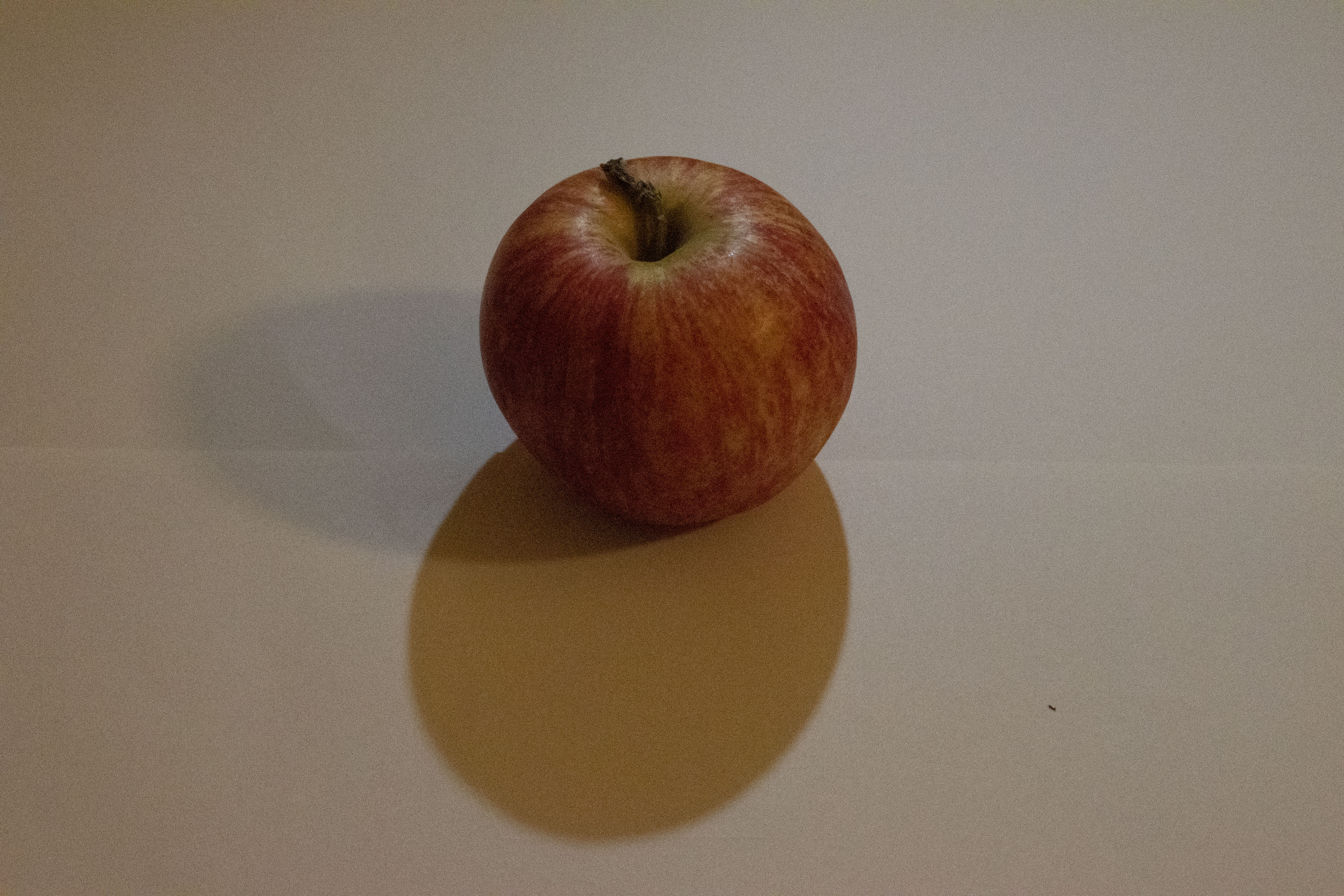
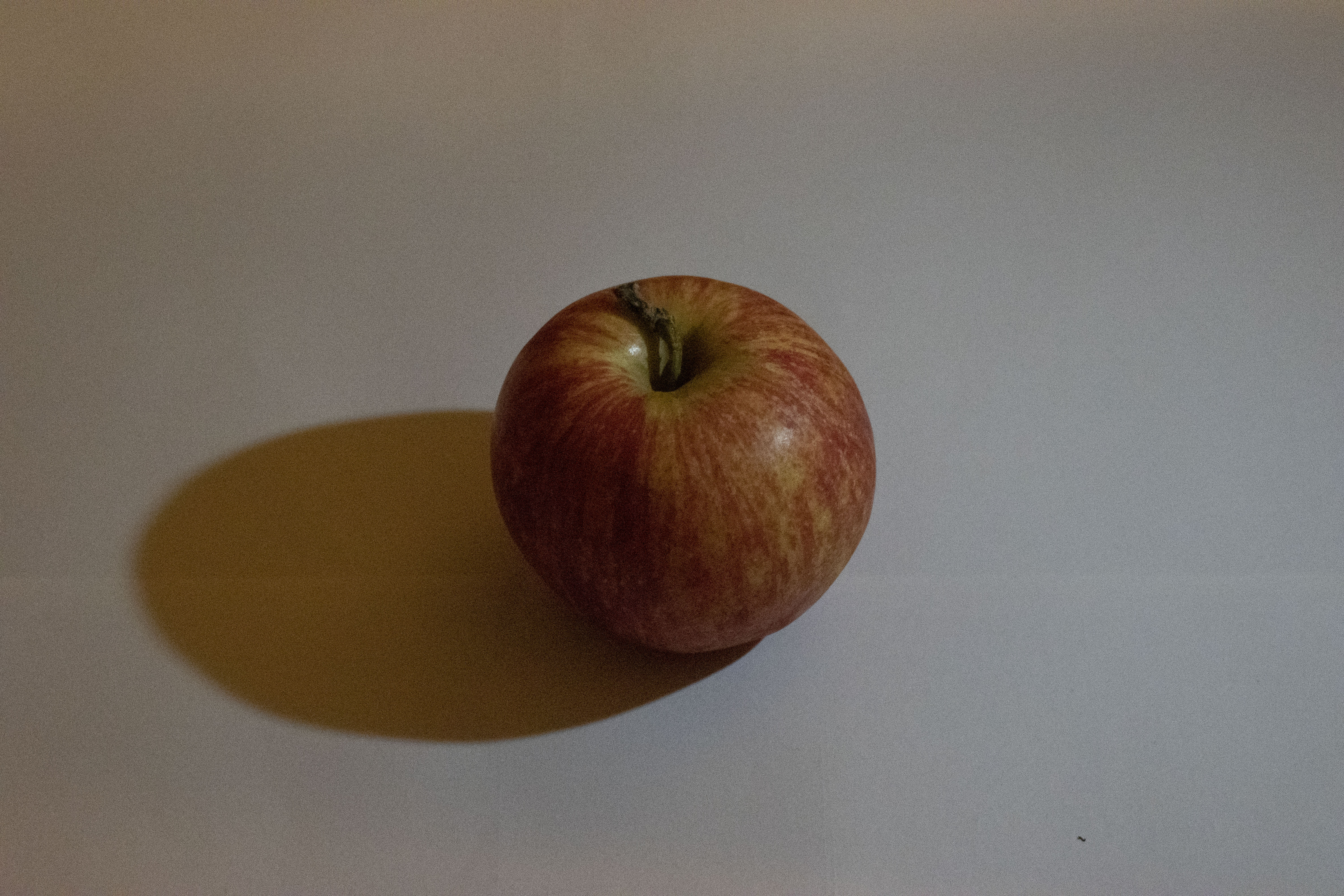
This week we conducted a lighting experiment using a single continuous light and our subject. It was suggested to use an egg, of which I had none but as you can see the effect of the shadow placement on the apple is really quite obvious. For this experiment it was necessary to try to eliminate as much ambient lighting as possible and to rely on the light source, in this case a small but powerful LED torch.

The images were taken on a Nikon D3500 cropped sensor DSLR using a 50mm lens that due to crop factor ended up being a focal length of 75mm. Each image was taken first using the torch as a direct, hard light which creates sharp, black shadows and noticeable highlights on the subject. For the second image a diffuser was used to soften the light. This resulted in shadows with a softer, more diffused edge and less contrast between the highlight and the shadow.

Above: Back lit subject in hard, direct light and then soft, diffuse light.

Above: Side lit subject in hard, direct light and then soft, diffuse light.

Above: Opposite side lit subject in hard, direct light and then soft, diffuse light.

Digital Imaging- Module 1

This week in module 1 of digital imaging i learned some of the basic functions of Adobe camera raw and Adobe bridge. The Adobe suite of photo editing software is very new to me and due to time constraints due to work, I have not ventured too far into editing the photos in the above gallery. However, I am happy with my progress in learning how to open the raw files and convert them to JPEG format for use on my blog. I am looking forward to becoming more proficient with the different functions of the editing software as the course progresses.


For the second part of our weekly activities, I had to adjust my work space to make it more ergonomic. As I am moving house in the next few weeks, my current work space is the dining room table. I tidied up some of the clutter, adjusted the positioning of my keyboard and mouse to a more comfortable distance and changed the height of my chair.

Camera & Capture- Module 1

This week, for my weekly activity, I chose the colour purple for my photographic essay. The local gardens were awash with varying shades of purple flower and the soft, diffused lighting from an overcast afternoon made the process most enjoyable. My final two images were taken later that afternoon at my work place. As a jeweller, I had a variety of purple gemstones and pearls at my disposal.

The photographs were taken on a Nikon D3500 DSLR with an 18-55mm lens. I used the program mode for some of the shots and experimented a little with aperture priority for others. The images were accessed on my computer with Adobe Bridge and lightly edited with Adobe camera raw before posting. It should be noted that my experience with editing software is very minimal.

I have enjoyed learning and experimenting with the different manual settings on my camera and look forward to becoming more proficient with these settings as the course progresses.